
AI PR Review
Overview
AI PR Review helps engineering teams ship higher-quality code by analyzing pull requests using Luciq’s agents. It detects bugs, flags anti-patterns, identifies performance and security risks, and summarizes the PR - before your team spends time reviewing.
The result: fewer regressions, fewer production crashes and bugs, and faster review cycles.
How It Works
Each PR triggers Luciq’s multi-stage review pipeline:
- GitHub event received via the Luciq GitHub App
- Luciq agent start analyse the PR
- The agent generates summary & explanations
- Results posted back to GitHub as review comments + PR summary
This creates a review experience that is fast, actionable, and grounded in real production intelligence.
Installation
-
Install the Luciq GitHub App
Navigate to: Settings → Source Code Management → Install GitHub App
Grant repository access to the repos you want reviewed.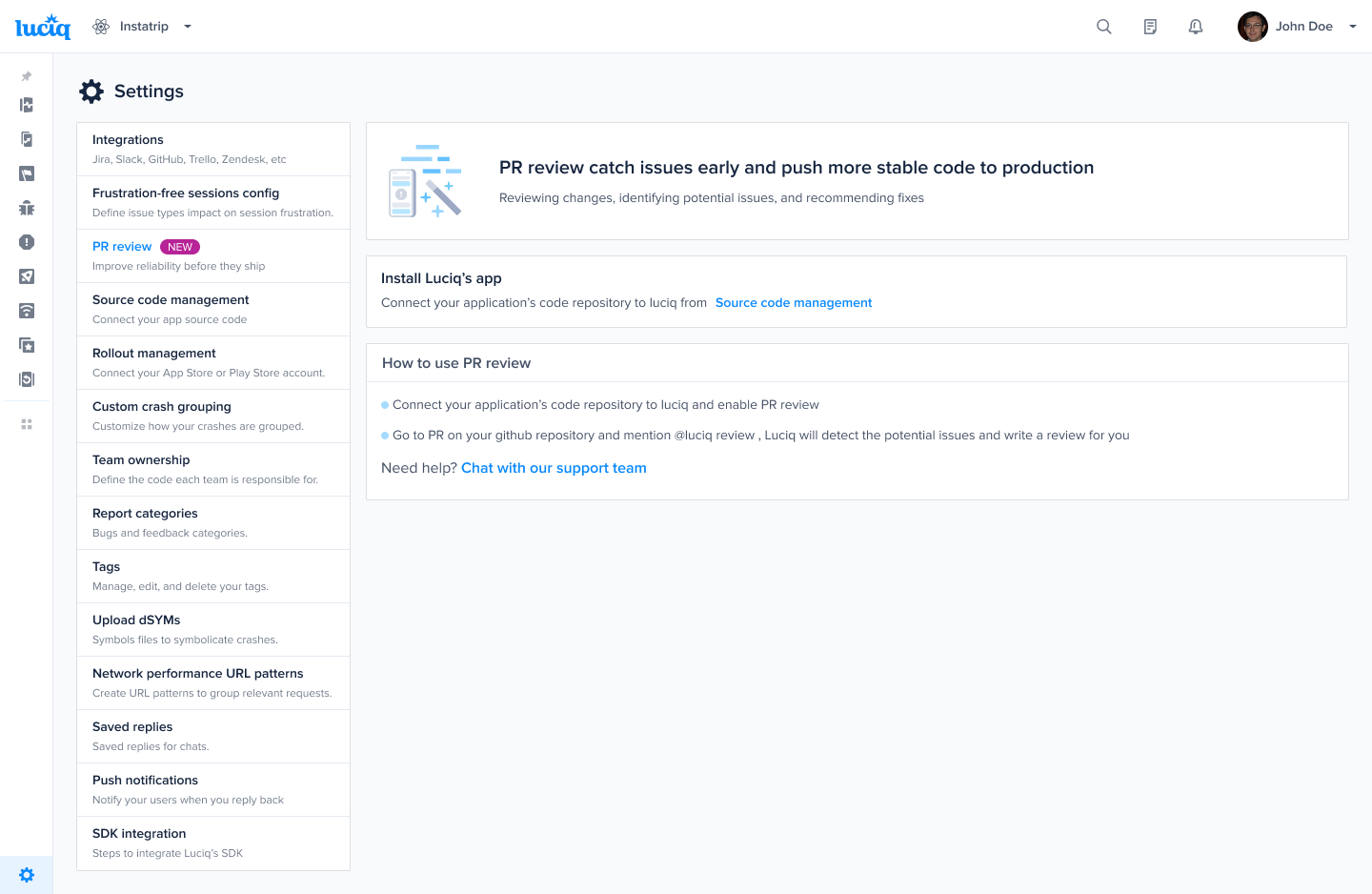
-
Enable AI PR Review
Once the GitHub App is connected, you can enable or disable AI PR Review per application from the Settings page.
-
Create or update a Pull Request
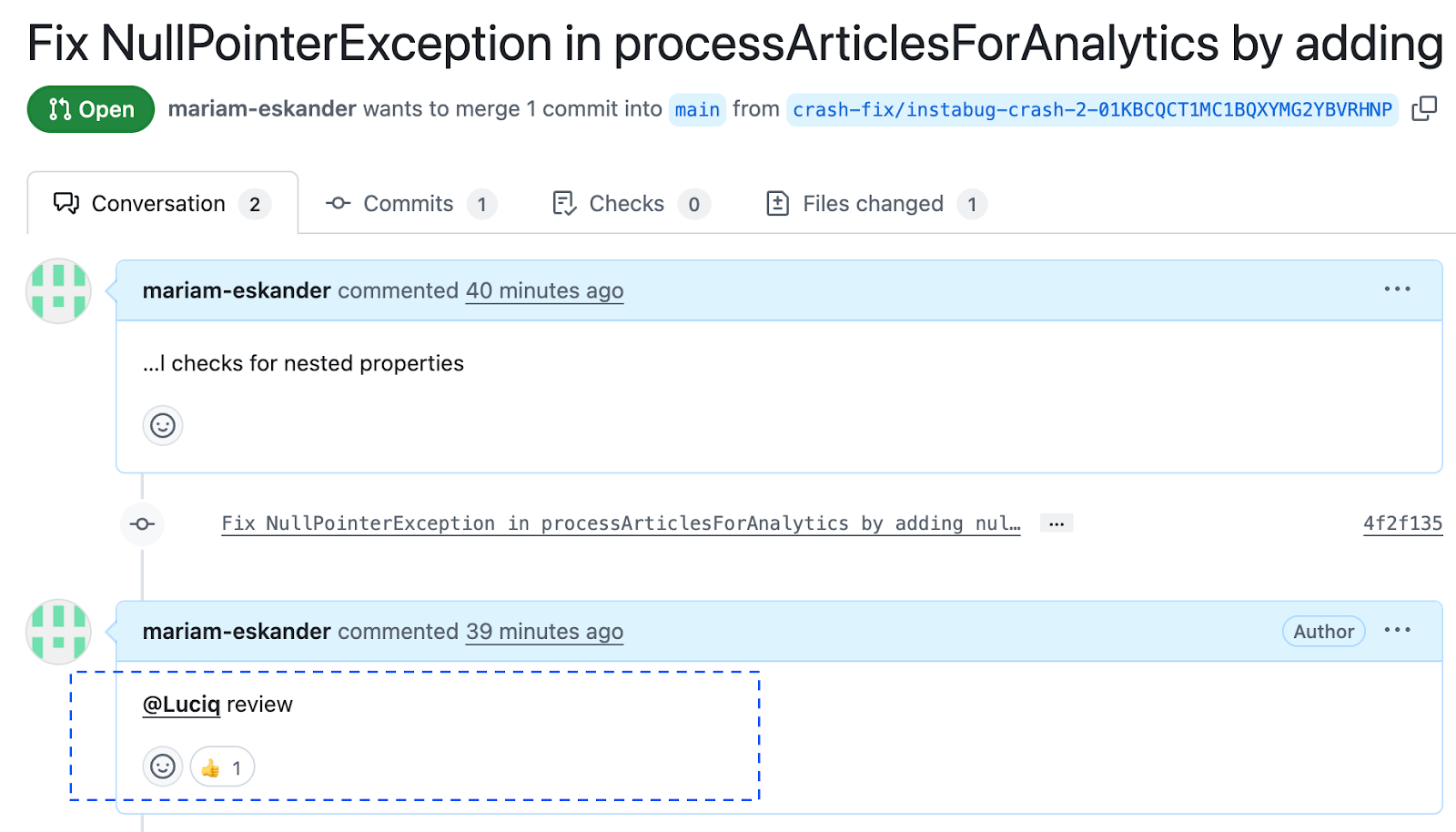
Mention Luciq inside the PR by commenting:
@luciq reviewLuciq will immediately react to your comment with a thumbs up emoji to confirm that the review has started. Once the analysis is complete, Luciq will post the PR summary and risk assessment as a new comment.
Security & Permissions
All AI processing happens within secure, isolated environments deployed inside Luciq’s infrastructure. Luciq only requests the minimum GitHub permissions required to:
- Read pull requests and diffs
- Write review comments
- Access relevant repository metadata
No code is stored, and no data leaves Luciq’s secure environment.
Best Practices
- Enable Luciq PR Review on your core repositories first
- Use AI findings as a first pass before the developer do a deeper review
- Pay attention to high-risk flags - they often correlate with production issues
FAQ
Does Luciq modify my code? No. Luciq only comments and recommends improvements.
Can I disable the AI reviewer on certain repos? Yes - permissions and enablement are per-application, also review added only when you mention luciq reviewer.
Does this replace human review? No. It reduces the time humans spend on repetitive checks so they can focus on architecture and logic.
Updated 5 days ago